
Build Your RF System Online — Fast
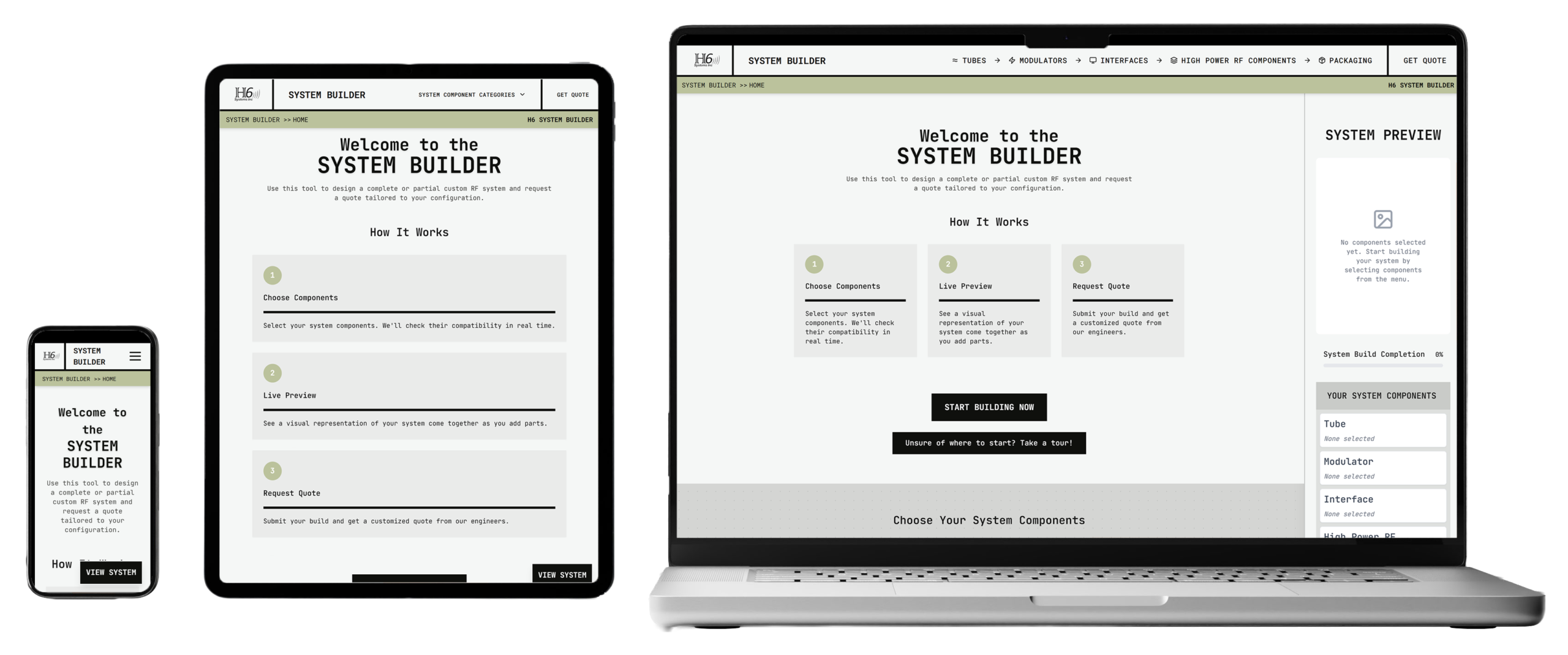
Use H6 Systems’ RF System Builder tool to configure a complete or partial custom RF system in minutes. Select from tubes, modulators, interfaces, high-power RF components, and system packaging, then receive a fast, tailored quote from our engineers.
How to Build Your Custom RF System
Launch the RF System Builder
Begin by heading to systembuilder.h6systems.com. Once there, click the “Start Building” button to be shuttled through the process of building and getting a quote on your full or partial custom RF system.
Select a Tube
Begin by choosing a tube for your system. The builder filters all available tubes based on your specifications to guide you toward the most practical options.
Add a Modulator
Match your selected tube with a compatible H6 modulator. The system automatically highlights modulators that are compatible with your tube choice.
Choose an Interface
Select the input/output interface that best fits your integration needs. Options include mechanical push button, web-based GUI, or touch screen interfaces.
Select High Power RF Components
Add essential high-power components such as isolators, directional couplers, power attenuators, pressure windows, or horn antennas.
Choose your System’s Packaging
Configure how your system will be housed. Packaging options include basic standard lab environment packaging, mobile packaging with wheels, our ruggedized packaging for harsh environments.
Get a Quote
Review your completed system and submit your build for quotation. Our engineering team responds promptly with a quote for your full or partial custom build.
Why Use the RF System Builder?
SAVE TIME
Configure complete or partial high-power RF systems in minutes. Instead of manually cross-referencing datasheets and specifications, the RF System Builder lets you assemble a system quickly and efficiently.
ENSURE COMPATIBILITY
Reduce design risk with intelligent component matching. The builder guides you through compatible components so your system configuration works together as intended.
EXPLORE BUILDS
Experiment freely. Compare options, swap components, and test different configurations without commitment. Use the builder to evaluate design paths before requesting a quote.